
A typical garment listing
- Category
- Clothing › Shirts & Tees
- Sizes
- S, M, L, XL, 2XL
- Materials
- 100% cotton
- Shipping
- A garment profile
- Description
- Fabric and fit

Behind the headline, design files with names like “floral skull FINAL (2).png” and “IMG_4471.png” drift in from the left, each with a thumbnail of its artwork, loop once, and pass under a Mirra status chip that reads Reading the design, Title and 13 tags, Mockups at 2000 by 2000, then Drafted in Etsy. They leave as listing titles such as “Floral Skull DTF Transfer, Ready to Press”, each with a check mark and its mockup.
Mirra writes the listings for DTF transfer shops. Drop in a folder of designs and each one comes back as a finished listing: title, tags, description, mockups on your own templates, and your print-size prices. Push them to Etsy or Shopify as drafts, or export a ZIP.
25 listings free for 7 daysNo cardThen $299 a month
This is what comes back for one design. The title, tags, and description are written from the artwork and checked against Etsy’s rules before you see them. Category, sizes, and prices come from your shop settings. Nothing reaches your shop until you push it.
The source file: floral skull FINAL (2).png, a 4096 by 4096 PNG of an engraved skull wrapped in poppies, cornflowers, and daisies.
Mirra's listing editor with the finished listing for that file: a 91 character title, 13 of 13 tags, a description with the size guide placeholder and Mirra's default block, and the Image Transfers craft supply category.
Built for transfer shops

So Mirra files every Etsy listing as a craft supply, prices it by print size, and writes the press instructions in for you.
| Pocket / Left Chest 4" | $3.00 |
| Youth 8" | $4.00 |
| Adult 11" | $5.50 |
| 2XL+ 12" | $7.00 |
Four steps. You do the first one once.
Mirra's shop page for Wildflower Press: every store readiness check passed, and the Sizes & Prices tab with four DTF print sizes.
Mirra's listing generator with 24 designs dropped in, the shop's mockup template picked, and the generate button ready.
Mirra's listings page with the 24 new listings, all selected, and the bar to push them.
The push dialog set to push now, publishing on push switched off, and a button that reads Push 24 drafts.
Your sizes and prices, a mockup template or two, and your Etsy or Shopify defaults. Every listing in that shop inherits them.
Mirra's shop page for Wildflower Press: every store readiness check passed, and the Sizes & Prices tab with four DTF print sizes.
PNG, JPG, or WebP, up to 20 MB each. Uploads retry on their own after a short network drop, and the queue works through the batch while you run the printer.
Mirra's listing generator with 24 designs dropped in, the shop's mockup template picked, and the generate button ready.
Change a word, swap a tag, or leave it as written. Edits save as you type, and every save is kept in an edit history.
Mirra's listings page with the 24 new listings, all selected, and the bar to push them.
Send the drafts to Etsy or Shopify now, or pick a time for them to go. An Etsy shop with no API connection gets a ZIP for hand entry instead. Publishing live stays off until you turn it on.
The push dialog set to push now, publishing on push switched off, and a button that reads Push 24 drafts.
Drafts in your Etsy shop with photos, sizes, and prices filled in. You publish.
Etsy Shop Manager, Listings filtered to Draft: 24 drafts from Mirra, each with its design photo, a $3.00 to $7.00 price range, and a Draft badge.
Products arrive as drafts with a Size option and a price for each size.
The Shopify admin product page for the floral skull transfer, marked Draft, with a Size option priced $3.00, $4.00, $5.50, and $7.00.
No API connection? Download a ZIP: a folder per listing with its images and a paste-ready metadata.txt.
A Finder window of the unzipped export: folders L0001 to L0024, each with 01_mockup.png, 02_mockup.png, and metadata.txt, plus manifest.csv and README.txt at the root.
Pick a time and Mirra pushes the batch then.
Mirra's push dialog set to Schedule for a week from today at 9:00 AM, with the Schedule 24 drafts button, beside listings marked Scheduled for that time.
Upload a blank once and drag a box where the print goes. Every design in that shop lands in it at 2000 × 2000 or larger, with the background removed first. Mirra places the design flat. It doesn’t fake fabric folds.
Mirra's Set placement dialog for a White Tee, Front template: a 640 by 800 pixel print box dragged onto the chest of a 2000 by 2000 blank.
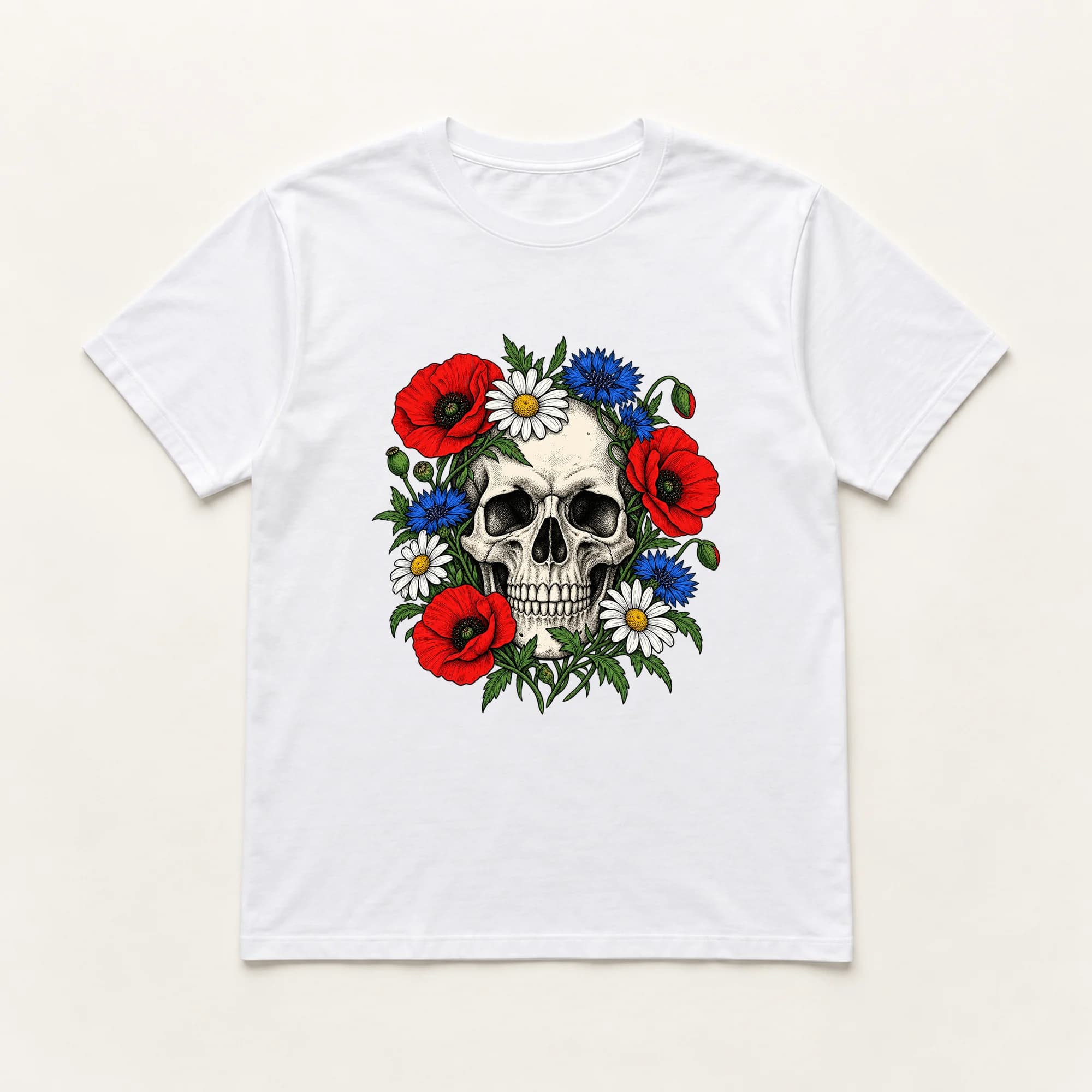 White tee
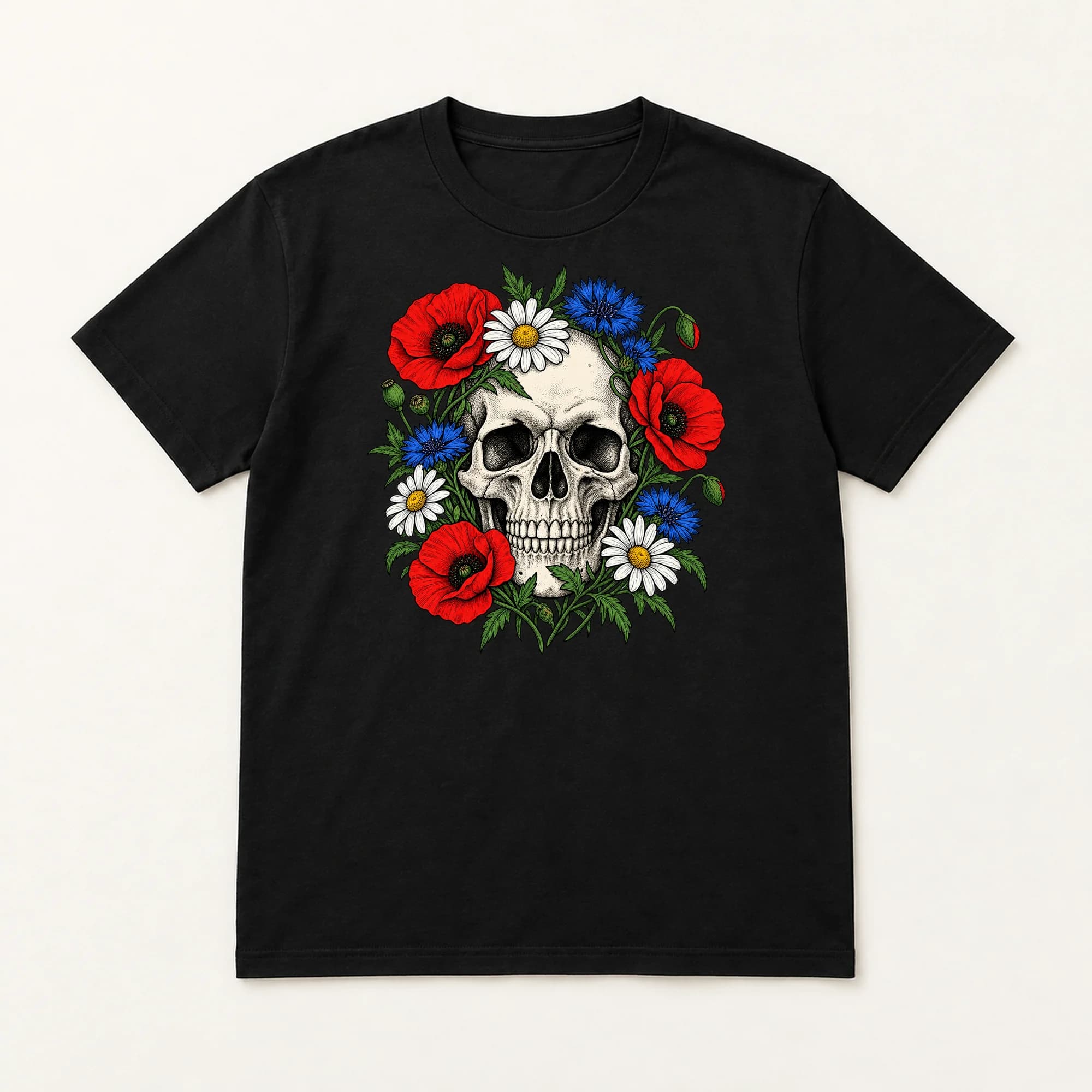 Black tee
 Sand hoodie
 Natural tote
Set your prices. Your size table does.
Read other sellers' listings. Your artwork is the only input.
Publish without asking. Drafts stay drafts until you switch that on.
Hand you a listing over Etsy's limits. If the title, tags, or description still fail the check after two retries, that listing isn't made.
Charge you per listing. One flat monthly price.
DTF TRANSFER ONLY — shirt / garment NOT included.
Cotton & blends: 300–320°F (150–160°C) for 10–12 seconds, medium-firm pressure.
Polyester & synthetics: 270–285°F (130–140°C) for 10–15 seconds…
Peel per your transfer's peel type…
Finishing press: cover with parchment or a Teflon sheet and press again for 5–10 seconds…
Mirra’s default block. Swap in your own for each shop.
At 12 minutes a listing by hand, our estimate for a title, 13 tags, a description, a category, and sizes, 1,000 listings is about 200 hours of typing.
One login, one flat price. No per-listing fees and no cut of your sales.
See pricingA 3-minute recording of the real app: shop setup, the generator, a finished listing, up to the push screen.
The full series on YouTube films a batch and a real push (opens in a new tab)Yes. Sign up, then start the trial from your dashboard. You get 25 listings free for 7 days, no card. The trial ends when the days or the listings run out, whichever comes first. One trial per account. After that, the plan is $299 a month for 1,000 listings. Your listings, shops and exports stay after the trial ends: you can still edit, push and export, you just can't generate new listings until you subscribe.
Generating a listing from one design image counts once. Regenerating that listing counts again. Editing, pushing to Etsy or Shopify, and exporting ZIPs never count.
No. Mirra never reads other sellers' listings. Every listing is written from your own artwork. Mirra also checks generated titles, tags, and descriptions against a list of about 150 brand, character, and team names, and a match stops that design. The list won't catch every brand, so check your own designs.
You do. Each shop keeps a size table: print size on one side, price on the other. Listings carry those sizes as variants, and the size guide in the description is built from the same table. Change a price and the next push carries the new price.
From templates you upload once. Mark the print area on a template photo, and every listing for that shop is composited into it at 2000x2000 pixels or larger, background removed.
Yes. You create a small app in Shopify's Dev Dashboard and paste its Client ID and secret into Mirra. Products then arrive as drafts with a Size option and a price for each size.
Yes. An Etsy shop with no API connection gets a ZIP for hand entry instead: a folder per listing with its images and a paste-ready metadata.txt. Exporting ZIPs never counts as a listing.
Yes. Cancelling stops future charges, and generating stops when the subscription ends. Your listings, shops and exports stay either way.
25 listings free for 7 days. No card required. Then $299 a month for 1,000 listings.
Start free trialAlready have one? Sign in


